

What Is Reddit's New For You Feed and How It Works
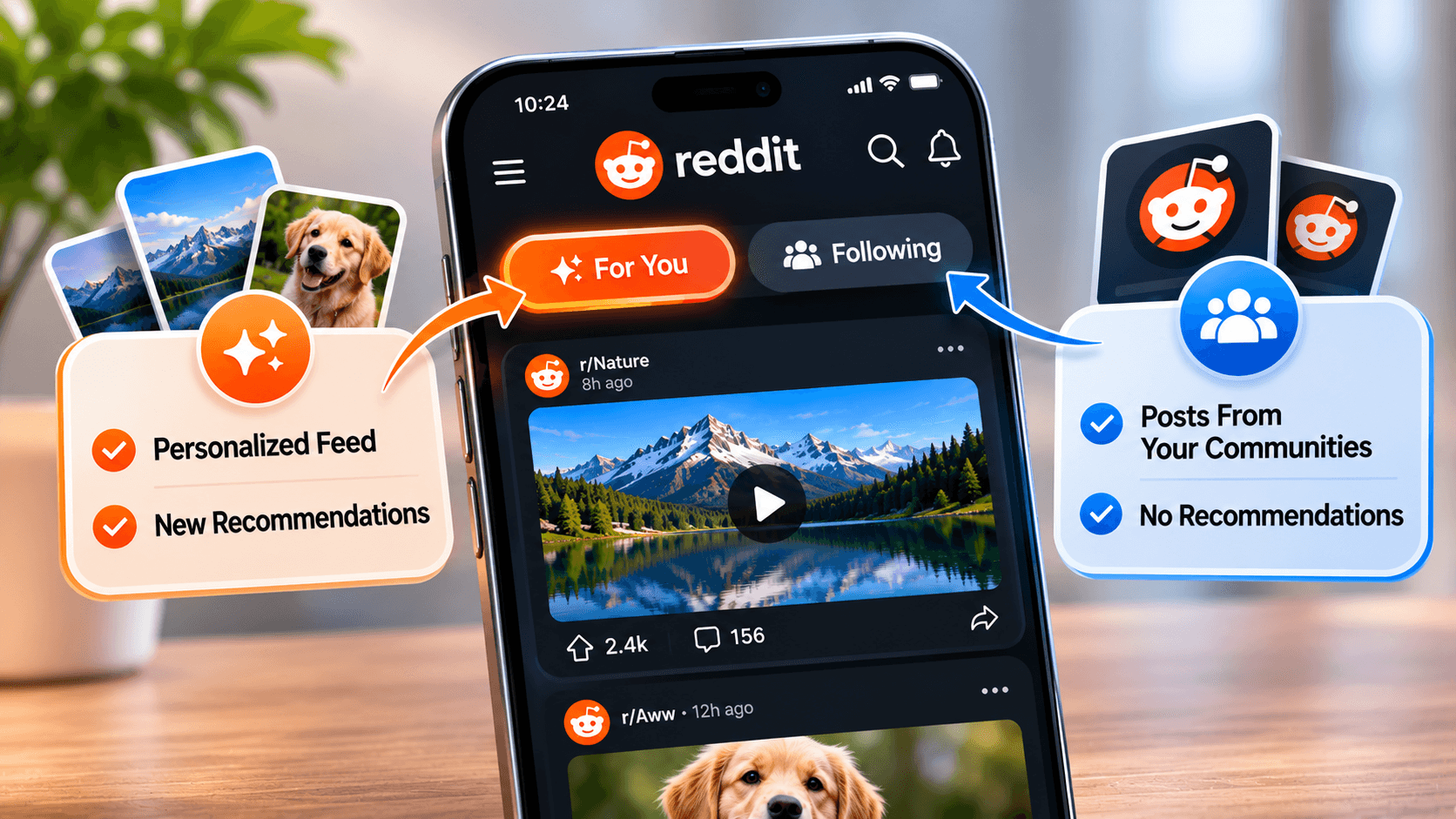
The For You feed is Reddit's new personalized home feed, announced on October 28, 2026. It blends posts from joined communities with recommended content that an algorithm picks. A second tab called Following sits beside it. That tab shows nothing except posts from joined subreddits. These two tabs now replace the single home feed Reddit relied on for years.
The redesign brings Reddit closer to TikTok, Instagram, X, and Facebook. Each of those platforms opens on an algorithm-driven feed. The sections below explain how the new feed picks its posts. They also cover what the change means for anyone who posts or saves videos on the platform.
Reddit's Home Feed Now Shows Two Tabs
Opening Reddit on the app or the website now presents a choice at the top of the home screen. The first tab, For You, acts as a discovery feed. It pulls posts from subreddits a user follows. It also mixes in suggestions from thousands of other communities. Reddit hosts more than 100,000 active communities, so the pool of possible recommendations runs deep.
The second tab, Following, works as a filtered view. Only posts from joined communities appear there, with no recommended content mixed in. Anyone who prefers the older Reddit experience will feel most at home in this tab.
Recommendations themselves are not new. Reddit has pushed suggested posts into home feeds for a long time. The difference now is separation. Recommendations drive their own dedicated feed instead of sitting between posts from joined subreddits. That small shift changes how the whole platform feels.
What Decides Which Posts Appear in For You
Reddit has not published a complete technical breakdown of the ranking system. The company does confirm the basics. The feed builds its suggestions from the communities an account has joined. It also draws on interests shown through activity on the platform. Signals like these likely shape what appears:
- Subreddits an account has joined or visited
- Posts that received an upvote or a comment
- Topics selected during account setup
- Time spent viewing certain types of content
Take someone active in a photography subreddit. That person might start seeing posts from camera gear groups that never appeared in their feed before. Video posts appear heavily in this mix. Clips hold attention longer than text threads do. The system works much like recommendation engines on other platforms. Engagement teaches it what to surface next. Every interaction shapes future suggestions. Ignoring a certain type of post may also count, since systems like this often read skipped content as low interest.
Why Reddit Split the Home Feed in Two
Reddit frames the update as a discovery tool. In its announcement, the company called the new experience "a first step in helping drive discovery." Reddit tied the change to connection and participation across communities. The business logic is easy to read. A feed full of fresh, relevant content keeps people scrolling longer. Longer sessions matter for a platform that earns most of its revenue from ads.
Coverage of the launch described Reddit as the latest platform to embrace the For You feed. TikTok made this design standard across social media. Instagram, X, Threads, and Facebook adopted similar layouts years earlier. That left Reddit as one of the last major platforms with a purely subscription-based home page. Reddit had already announced plans to retire r/popular as the default view for new accounts, so the move toward personalized feeds has been building for a while.
Not every user welcomed the shift. During early testing, complaints appeared in Reddit's r/help community. Those users wanted their joined communities left alone. Reddit answered that concern by keeping the Following tab permanent. Nobody has to stay locked into the algorithmic view.
How to Switch Between For You and Following
Moving between the two feeds takes a few seconds:
- Open the Reddit app or go to reddit.com and sign in.
- Look at the top of the home feed for the two tab labels.
- Tap or click Following to browse joined communities only.
- Tap For You to return to the mixed discovery feed.
Reddit remembers the last selection. Close the app while viewing Following, and the Following tab loads again on the next visit. There is no buried setting to hunt for. On desktop, the same two labels sit above the post list, where the switch works the same way.
The rollout is happening worldwide over several weeks. Accounts that still show the old single feed can expect it soon. The update simply has not reached them yet. No manual action speeds it up.
What the New Feed Means for Post Visibility
The split changes how posts travel. A post in a subreddit can now reach people who never joined that community. The algorithm just has to decide the post matches their interests. A strong post in a mid-sized subreddit can land in For You feeds far beyond its home community. How far a post travels still depends on Reddit's recommendation system. Smaller communities may gain the most.
Early engagement likely carries more weight under this model. Posts that collect quick upvotes and comments can give the algorithm a reason to push them further. Posts that stall early may never surface outside their own subreddit. The reasons behind why Reddit posts are not showing up range from community filters to account-level issues. Fixing them matters more now that the feed rewards early traction.
How to Save Videos From the For You Feed
Discovery feeds create a familiar problem. A great clip appears from an unknown subreddit, then the scroll moves on. Finding that video again later is nearly impossible. Reddit's built-in save button helps a little, though a saved post disappears whenever someone deletes the original or the community goes private.
Downloading offers a permanent answer. Copy the post link from the share menu and paste it into a Reddit Video Downloader. Save the clip directly to a device. The file keeps the quality of the stream Reddit provides, so a 1080p upload stays 1080p after saving. Stored locally, the clip stays watchable even if the post vanishes from Reddit. The process asks for no account or installed app, and the steps work the same on a phone or a computer. This matters more with the For You feed. Recommended posts often come from communities that are hard to find again without the original link.
Ways to Shape What the For You Feed Shows
The algorithm responds to behavior. That means the feed can be trained over time:
- Join subreddits that match genuine interests, since joined communities anchor the recommendations.
- Upvote posts worth seeing more of. Each vote acts as a direct signal.
- Leave communities that no longer fit so their topics fade from suggestions.
- Mute subreddits that keep appearing despite holding no interest.
- Spend more time in the Following tab when suggestions feel off.
The feed shifts gradually as an account interacts with different communities and posts. The algorithm only reacts to what an account actually does.
Common Questions About Reddit's For You Feed
Is there a way to remove the For You feed?
No setting turns it off or deletes it. The closest option is switching to the Following tab. Reddit keeps that as the active view until the selection changes again.
Why do posts from unjoined communities keep appearing?
That is the core purpose of For You. The feed exists to surface content from outside a user's joined subreddits. Staying in the Following tab is the only way to avoid posts from unknown communities.
Is the new feed live on every account?
Not yet. Reddit began the worldwide rollout in late October 2026. The company expects the update to reach all accounts over the following weeks. Older app versions may need an update before the tabs appear.
Where did the Hot sort option go?
The first rollout of the new home feed shipped with only Best and New sorting. Reddit later confirmed that sorting options such as Hot and Top are returning to the Following feed, starting with desktop and mobile web.
Does muting a community remove its posts from recommendations?
Muting a subreddit keeps its posts out of the home suggestions. The mute option sits in the menu on the community's page. Leaving a joined subreddit is a separate step. That removes its posts from the Following tab.
Does the Following tab stay selected after closing the app?
Yes. Reddit reopens whichever feed was active during the last session. A preference for Following holds without any extra steps.
Adjusting to Reddit's New Home Feed
Reddit's new For You feed marks the biggest home screen change the platform has made in years. It rewards curiosity by surfacing communities that would otherwise stay hidden. The Following tab still keeps the familiar joined-only view within reach. Treat the feed as something trainable rather than fixed. Deliberate joining and muting steer it toward content worth seeing. When a recommended clip stands out, save it early. Posts surfaced by the algorithm can be hard to find again later.
Ready to save your own copy?
Paste any Reddit video link and download it in seconds — with sound.

Editor · RedLoad Guides
Lauren Dosela is a digital content writer and technology enthusiast who covers social media, online platforms, and practical web tools. She specializes in turning complex digital topics into clear, useful, and easy-to-follow guides for everyday readers.
Related Guides
Comments
Comments are saved only on this device/browser — they are not shared with other visitors yet.