

Why Your Post Keeps Getting Removed From Subreddits
Why Your Post Keeps Getting Removed From Subreddits
You spend twenty minutes on a post. You hit submit. It looks fine.
An hour later it's gone. Or it's still sitting there on your profile with zero comments and zero views, which is somehow worse, because you don't even know anything's wrong until you check.
Here's the thing nobody tells new Redditors: three separate systems can delete your post, and only one of them is a human being. The other two won't explain themselves. Most removals happen within seconds of submitting, before a single person has read a word you wrote.
Let's fix that.
Step 1: Work Out Who Actually Removed It
Which one got you? That matters, because the fix is different every time. From where you're sitting all three look identical, your post is just gone, and that's the frustrating part.
AutoModerator (this is usually it)
AutoModerator is a bot. Every subreddit configures it differently, and it fires the instant you submit. It checks your account age, your karma, banned words in your title, whether your link domain is blocklisted.
And that's the whole process. Your post never gets read. Whether it was brilliant or garbage makes no difference to a bot doing pattern matching.
Gone within seconds? It was AutoMod. Roughly four out of five times, anyway.
Human moderators
Mods are volunteers. Unpaid, working through a queue whenever they get a spare hour, which might be late that night or the next morning.
So the timing tells you a lot. Post went up, sat there, maybe collected a few upvotes, then disappeared? That was a person. Something broke a rule, or someone reported it, or it just wasn't the kind of thing that the community wants.
Reddit admins and sitewide filters
Then there's Reddit itself, sitting above every subreddit with its own enforcement running in the background. Automated detection, human reviewers, user reports, all feeding into the same system.
The spam policy is the one most people trip over, and it's written specifically around repeated or unsolicited mass posting. Pasted your link into six subreddits inside ten minutes? That wasn't the mods. That was this.
The Actual Reasons Your Post Keeps Disappearing
1. You don't have enough karma
This is the big one for new accounts, and it's invisible. Most large subreddits want somewhere between 50 and 100 comment karma plus an account that's at least 30 days old. Some want more. r/AskReddit and r/news are notoriously strict about it.
Nothing warns you. You just submit into the void.
Spend a week actually commenting in smaller communities first. Comment karma builds much faster than post karma, and comment karma is what most of these filters check anyway.
2. You forgot the flair
Hundreds of subreddits require post flair, and AutoMod will delete anything without it. The confusing part is the grace period. Some subs wait five minutes before removing, which is exactly why your post seems to disappear after it already got a few upvotes.
Add flair the second you submit. If the flare picker won't load on mobile (it breaks constantly), open the post on desktop or old.reddit.com and add it there.
3. Your title didn't match the format
Plenty of communities want titles in a specific shape. A [Question] tag. A country code. A year. Some ban all caps outright, some ban question marks.
Get it wrong and the bot kills the post without reading anything else.
Easiest fix on this whole list: open the three most recent posts in that subreddit and copy exactly how they're formatted. It takes ten seconds.
4. Your link is on a blocklist
Subreddit domain blocklists are broader than people expect. URL shorteners are almost always banned. So are most social platforms, and anything that's been spammed in that community before, which covers a lot of domains.
The workaround is to post natively instead of linking out. For video, that means uploading the actual file rather than sharing a URL. If the clip originally came from somewhere else on Reddit, you'll need the file first, and a reddit video downloader will pull it with the audio intact so you can upload it properly instead of dropping a link that gets filtered before anyone sees it.
5. It's a repost and you didn't know
Reddit has tightened up on this. Most big subs now run repost detection that blocks anything shared in that community in the last 30, 60, or 90 days depending on the sub.
Your innocence is irrelevant here. Search the subreddit for your title keywords before you post. Thirty seconds, saves you the removal.
6. You're posting too fast, or promoting too hard
Reddit's spam policy targets exactly this pattern: the same content pushed repeatedly for exposure. And lots of subreddits enforce their own 9:1 rule on top of that, meaning nine genuine contributions for every one post about your own project.
Space things out by a few hours. Vary what you post. And never, ever crosspost the same link to multiple subreddits in one sitting, that's the single fastest way to trip the sitewide filter.
7. The problem might be your account
If everything you post gets removed everywhere, including in test subreddits where there are basically no rules, the account itself may be flagged.
Test it properly: log out, open your profile in a private browser window. If your posts aren't there, that's a sitewide filter, not a subreddit issue.
How to Actually Find Out Why
Reddit is bad at telling you. Three things that work:
- Log out and check your own profile. Invisible when logged out but visible when logged in means removed, not deleted. This is the fastest test there is.
- Check your inbox, not your notifications. AutoMod's removal reason usually lands in your message inbox, where nobody thinks to look.
- Message the mods. Use the "Message the mods" link in the sidebar. Keep it short and polite, mention the post, ask which rule it broke and what to change. Honestly, mods reply to this far more often than people expect. They're not out to get you.
What you should absolutely not do is resubmit immediately. Reposting straight after a removal is one of the quickest routes to a permanent ban from that community.
Getting a Removed Post Approved
If you think it was a mistake, you've got options:
Message the mods first. They can approve a post in one click, and AutoMod false positives are common enough that mods genuinely expect these messages.
Fix it before you ask. Add the missing flair, correct the title, then message. Showing you've already done the work usually gets an instant approval.
For account level stuff, appeal to Reddit. There's a formal appeals process for enforcement actions, laid out in Reddit's content moderation and appeals policy. Worth knowing this only covers account level actions, not individual subreddit removals.
The Thirty Second Check
Before submitting anywhere new:
- Read the sidebar rules and the pinned "read before posting" thread
- Check the karma and account age requirement
- Match your title format to recent posts
- Add flair immediately
- Search for duplicates from the last 90 days
- Upload media natively instead of linking out
- Wait a few hours between posts in different communities
That's it. Almost every removal in this guide is preventable in half a minute.
Frequently Asked Questions
Why was my post removed if I can still see it?
Removed posts stay visible to whoever wrote them. That's the giveaway. Log out and check.
Does a removal hurt my account?
One removal, no. A pattern of them across lots of subreddits starts to look like spam behaviour, and that can lead to action against the account itself.
Why do my video posts get removed more than text posts?
Because videos trip more filters at once. Size limits, duration caps, source rules, domain blocklists, all of it applies simultaneously. Uploading the file natively dodges most of them.
How long should I wait before messaging mods?
A few hours at least. Mod queues are volunteer run, and a decent number of removals get reversed during normal review without you having to say a word.
Ready to save your own copy?
Paste any Reddit video link and download it in seconds — with sound.

Editor · RedLoad Guides
Lauren Dosela is a digital content writer and technology enthusiast who covers social media, online platforms, and practical web tools. She specializes in turning complex digital topics into clear, useful, and easy-to-follow guides for everyday readers.
Related Guides

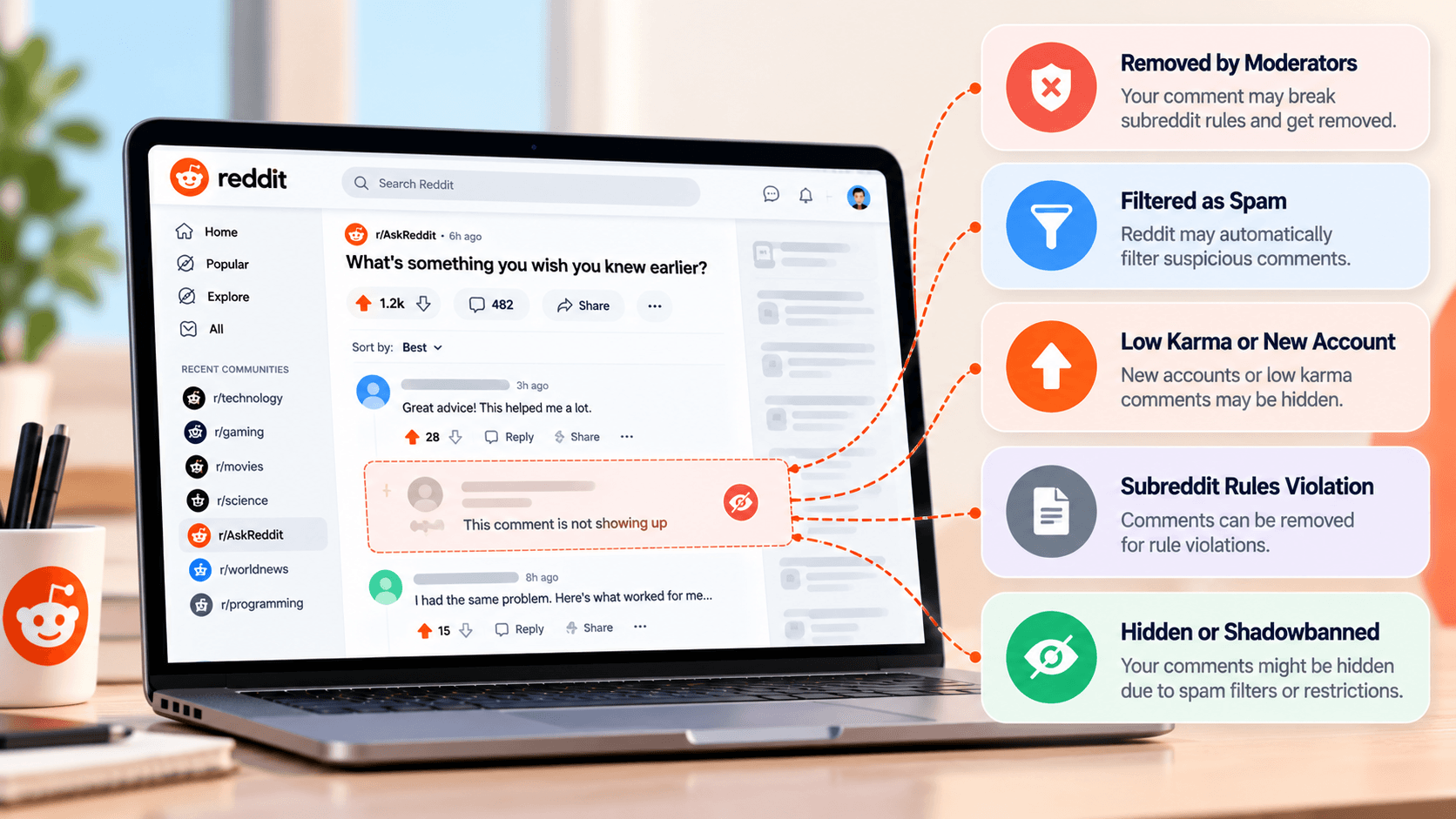

Comments
Comments are saved only on this device/browser — they are not shared with other visitors yet.